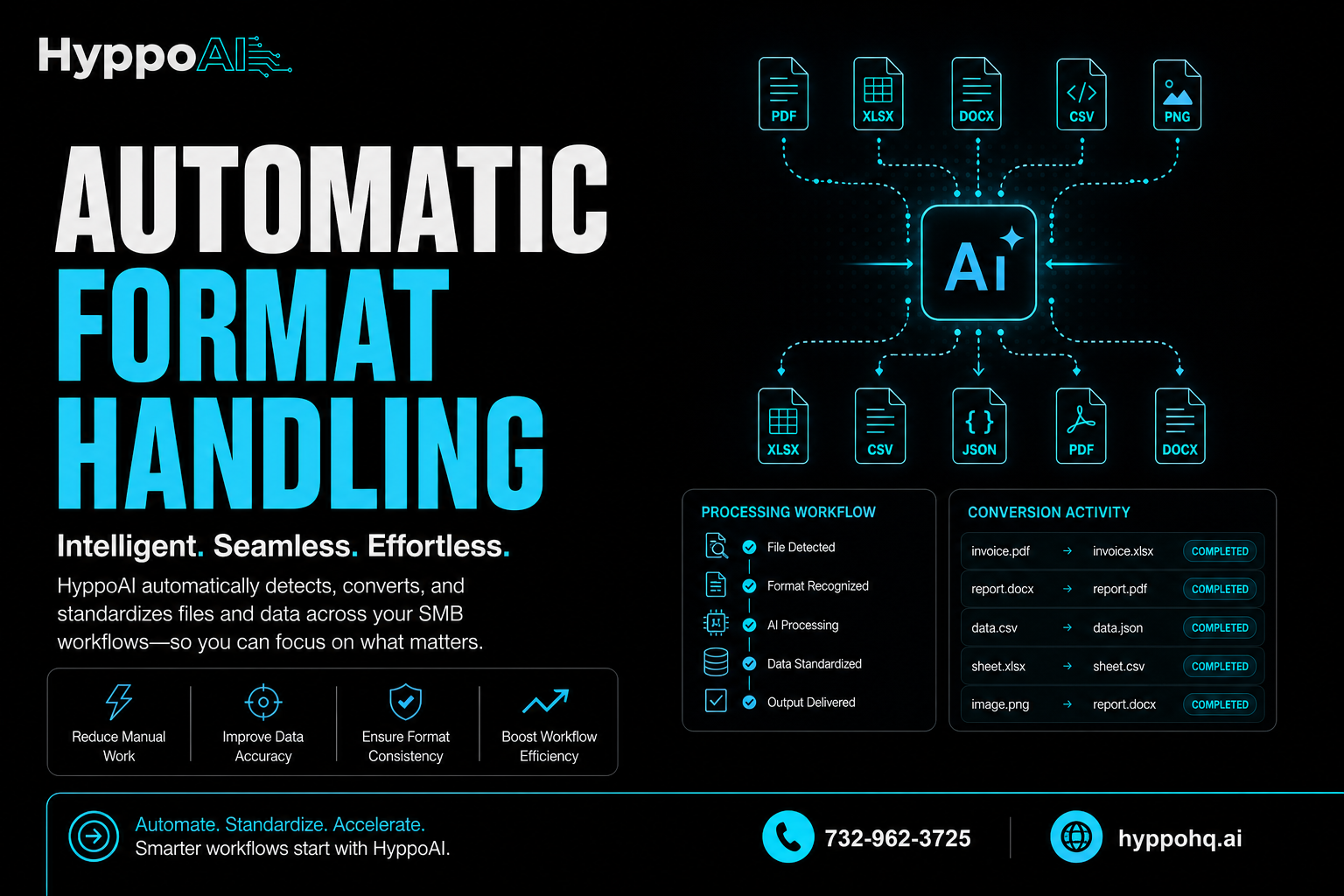
Automatic format handling: What it means for SMB workflows
For small and midsize businesses, format issues create more friction than most teams realize.
A lead form comes in one way. An invoice arrives another way. A customer message includes screenshots, PDFs, voice notes, or copied text. Then someone on your team has to stop, interpret it, reformat it, and push it into the right system.
That manual gap slows response time, increases errors, and creates hidden operational drag.
When formats are handled automatically, that drag starts to disappear.
What automatic format handling actually means
Automatic format handling is the process of taking information in different structures and making it usable without a person manually cleaning it up first.
That can include:
- Converting file types
- Extracting text from PDFs or images
- Turning unstructured notes into structured fields
- Standardizing dates, phone numbers, and addresses
- Routing content into the right system or workflow
- Reformatting data for CRMs, spreadsheets, ticketing tools, or dashboards
In plain terms, it means your business can receive information however it arrives and still process it consistently.
Instead of forcing staff to adapt every input by hand, the system does the adaptation for them.
Why format issues become a real business problem
Most SMBs do not struggle because they lack information. They struggle because information shows up in too many forms.
A few common examples:
- A customer texts a photo of a document instead of emailing a PDF
- A vendor sends data in a spreadsheet that does not match your template
- Website inquiries come in cleanly, but social media leads arrive as freeform messages
- Call notes get entered differently by each employee
- Online forms, emails, and chat messages all capture the same details in different ways
Individually, these seem minor.
At scale, they create bottlenecks.
Teams spend time copying and pasting. Managers deal with inconsistent reporting. Follow-up gets delayed because key details are buried in the wrong format. That is where automation starts to matter.
What happens when formats are handled automatically
When the system can interpret and normalize incoming information on its own, several things improve at once.
1. Work moves faster
The most immediate benefit is speed.
If incoming data is automatically converted into the format your tools expect, your team does not need to pause and prepare it. That means:
- Faster lead intake
- Quicker customer responses
- Shorter handoff times between departments
- Less waiting for admin cleanup
For SMBs, speed is not just a convenience. It directly affects conversion, service quality, and cash flow.
2. Errors go down
Manual formatting creates avoidable mistakes.
Someone types the wrong number. A field gets skipped. A date format breaks an import. A customer record is saved under a slightly different name. These small inconsistencies compound over time.
Automatic format handling reduces those risks by applying rules consistently.
That consistency helps with:
- Cleaner CRM records
- More reliable reporting
- Better customer history tracking
- Fewer missed details during follow-up
3. Teams stop doing low-value admin work
Your best people should not spend their day renaming files, retyping notes, or fixing formatting issues.
When formats are handled automatically, staff can focus on work that actually moves the business forward, like:
- Closing deals
- Supporting customers
- Managing operations
- Solving exceptions instead of processing routine inputs
This is one of the most practical uses of AI and automation for SMBs. It does not replace judgment. It removes repetitive prep work.
4. Systems become easier to connect
Many businesses assume their systems are disconnected because the tools themselves do not integrate well.
Often, the real issue is that the information going between them is inconsistent.
One system expects structured fields. Another receives a message thread. Another gets a scanned attachment. Automatic format handling acts like a translator between those inputs and outputs.
That makes it easier to connect:
- Contact forms to CRMs
- Emails to help desks
- Call summaries to follow-up workflows
- Documents to internal databases
- Customer conversations to reporting tools
The result is a more usable operational stack without requiring every input source to behave perfectly.
Where SMBs feel the impact first
Not every business needs enterprise-level automation on day one. But nearly every SMB has a few high-friction areas where automatic format handling creates immediate value.
Lead management
Leads can come from web forms, phone calls, text messages, social media, referrals, and email.
If each source arrives differently, response time suffers.
Automatic handling can standardize lead details, extract names and contact information, and push everything into one workflow for fast follow-up.
Customer support
Support requests often include screenshots, forwarded messages, attachments, and incomplete descriptions.
Automation can organize those inputs, summarize the issue, and route it to the right queue with the right context.
Operations and admin
Invoices, onboarding documents, service requests, internal notes, and status updates all tend to arrive in mixed formats.
With automatic handling, businesses can reduce the manual effort required to process routine operational tasks.
Reporting
If data is entered inconsistently, reporting becomes unreliable.
Standardized inputs create cleaner dashboards and better decision-making. That matters for owners who need visibility without spending hours cleaning spreadsheets.
What this looks like in practice
A practical automatic format handling workflow might do something like this:
- Receive a customer inquiry by email, text, or form
- Extract the important details automatically
- Standardize the customer name, phone number, and request type
- Convert attachments or notes into usable text
- Route the information into a CRM or task system
- Trigger the next step, such as a reply, assignment, or reminder
The key is not just conversion. It is usable conversion.
The information should end up in a form your business can act on immediately.
What to watch out for
Automatic format handling is powerful, but it should be designed with real workflows in mind.
A few things matter:
- Clear rules for what should be extracted and where it should go
- Validation steps for important fields
- Exception handling for unclear or incomplete inputs
- Integration with the systems your team already uses
- Ongoing refinement based on actual business activity
Automation works best when it supports operations logically, not when it adds complexity for its own sake.
Why this matters more as your business grows
The bigger your business gets, the more format inconsistency costs you.
At low volume, teams can patch over the issue manually.
As volume increases, those patches become expensive. More leads get delayed. More records become inconsistent. More staff time gets consumed by repetitive cleanup.
Automatic format handling creates leverage.
It allows a growing business to process more information without adding the same amount of manual effort. That is one of the clearest ways AI can help SMBs scale operations without creating chaos.
The bottom line
When formats are handled automatically, work becomes simpler, faster, and more reliable.
Your team spends less time translating information and more time acting on it. Your systems become easier to use together. Your data gets cleaner. And your business becomes better equipped to respond at speed.
For SMBs, that is not a small technical upgrade. It is an operational advantage.
If you want to build smarter workflows that reduce manual work and help your business scale, HyppoAI can help. Visit https://hyppohq.ai, call +17329623725, or email admin@hyppohq.ai to learn more.