What Zapier Does Best and Where It Starts to Break
What Zapier Does Best (And Where It Starts to Break)
Zapier is often the first automation tool business owners and operations teams encounter. It offers a straightforward way to connect apps and move data without writing code. For many service businesses, that value is real: quick connections between popular tools, simple workflow logic, and a low barrier to entry.
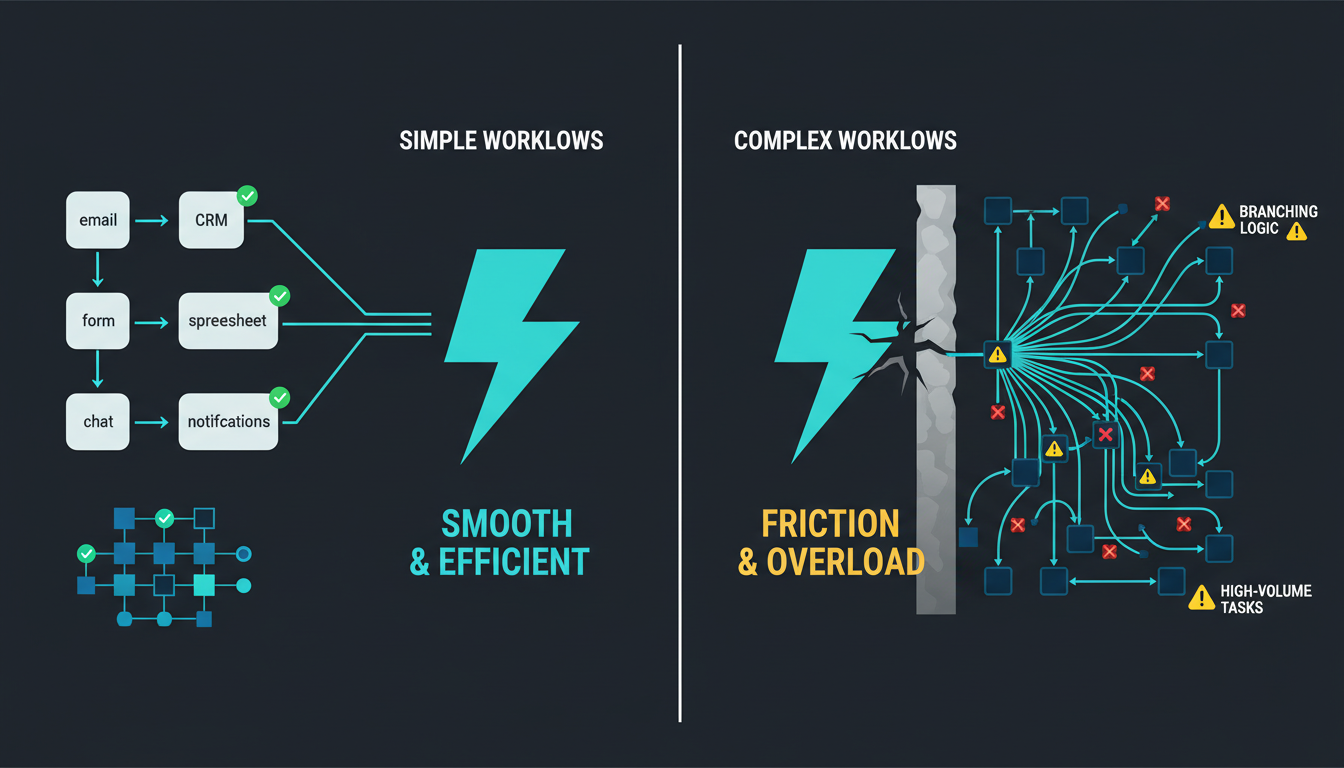
At the same time, Zapier is not a full backend integration platform. As operations become more complex, high-volume, or tightly governed, teams often notice friction: scattered logic across many Zaps, limits in data handling, and pricing that can become difficult to justify as task volume grows.
What Zapier Is Designed To Do Well
1. Connecting popular SaaS tools quickly
Zapier excels when you are using mainstream cloud software that already exposes stable integrations. If your systems include tools like Google Workspace, Slack, HubSpot, Mailchimp, Calendly, QuickBooks, or ClickUp, Zapier often has prebuilt connectors. This is especially useful when your team wants to validate a workflow concept without involving developers, or when you need to connect tools from different vendors that were never meant to talk to each other.
2. Handling edge cases through broad app coverage
One understated advantage of Zapier is how often it can cover awkward integration gaps. In real operations, you may run into a popular tool that does not provide a public API, or a niche vendor product where direct integration work would be slow or expensive. Sometimes that same tool still offers a Zapier integration, which can be enough to automate a limited but useful set of actions.
3. Simple, repeatable workflows that follow predictable logic
Zapier is strong when workflows are event-driven, short, and easy to describe. Examples: when a form is submitted, create or update a contact in your CRM and notify a channel; when an invoice is paid, log a transaction and create a follow-up task; when an appointment is booked, create a project or checklist item in your delivery tool.
4. Non-technical access to automation
Zapier's accessibility is one of its core strengths. Business owners, administrators, and operations managers can build automations without deep technical expertise. Small operational improvements can be made without waiting on engineering.
Where Zapier Starts to Struggle
1. Complex logic and maintainability across many Zaps
When workflows require extensive branching, nested conditions, or evolving business rules, Zaps can become difficult to maintain. Common signs: multiple Zaps that together represent one business process with unclear ownership, logic split across different folders, and confusion about which Zap is responsible for a specific data update.
2. Data-heavy or stateful workflows
Zapier tends to be less natural for workflows that require long-running state, extensive record linking, or large-scale synchronization: multi-stage processes with approvals and waiting states, large dataset syncs, and workflows that require complex lookups across many related records.
3. High-volume operations and cost at scale
Zapier pricing is typically tied to usage (tasks). As automation becomes more widespread and event volume grows, costs can rise quickly. Situations that can increase task usage include workflows with many steps per trigger event, high-frequency sources like web leads or inbound messages, and automations that re-run due to retries or multi-path routing.
4. Custom systems, self-hosted tools, and deeper backend needs
Zapier works best with standard SaaS applications and well-supported connectors. It can be less effective when a business relies on custom software, self-hosted services, legacy databases, or specialized industry tools with limited integration capabilities.
How Zapier Fits Into a Modern Automation Stack
1. Zapier as the edge automation layer
A common pattern is to keep Zapier for workflows that benefit from speed, broad app coverage, and business-user ownership: rapid prototypes and process experiments, connecting smaller team tools to a central CRM, and notifications, alerts, and simple lead or intake routing. Core business logic and key system-of-record data flows usually stay outside of Zapier.
2. n8n (and similar tools) for serious backend orchestration
Many automation practitioners start on Zapier because it is approachable, then adopt more flexible workflow tools (such as n8n) for deeper backend work: complex branching logic and multi-step transformations, integrations with databases and custom APIs, and workflows that require consistent error handling and richer observability.
3. Supporting AI workflows
As AI features become more common (summarization, classification, extraction, routing), businesses still need an orchestration layer to move inputs and outputs between systems. Zapier can play that role for lighter-weight use cases, while a backend workflow tool can handle more complex AI pipelines.
If you want to learn how Zapier, n8n, and AI-enabled workflows can fit together as a coherent automation stack for a service business, HyppoAds can help you think through the concepts and architecture. Contact us at hyppohq.ai/contact.