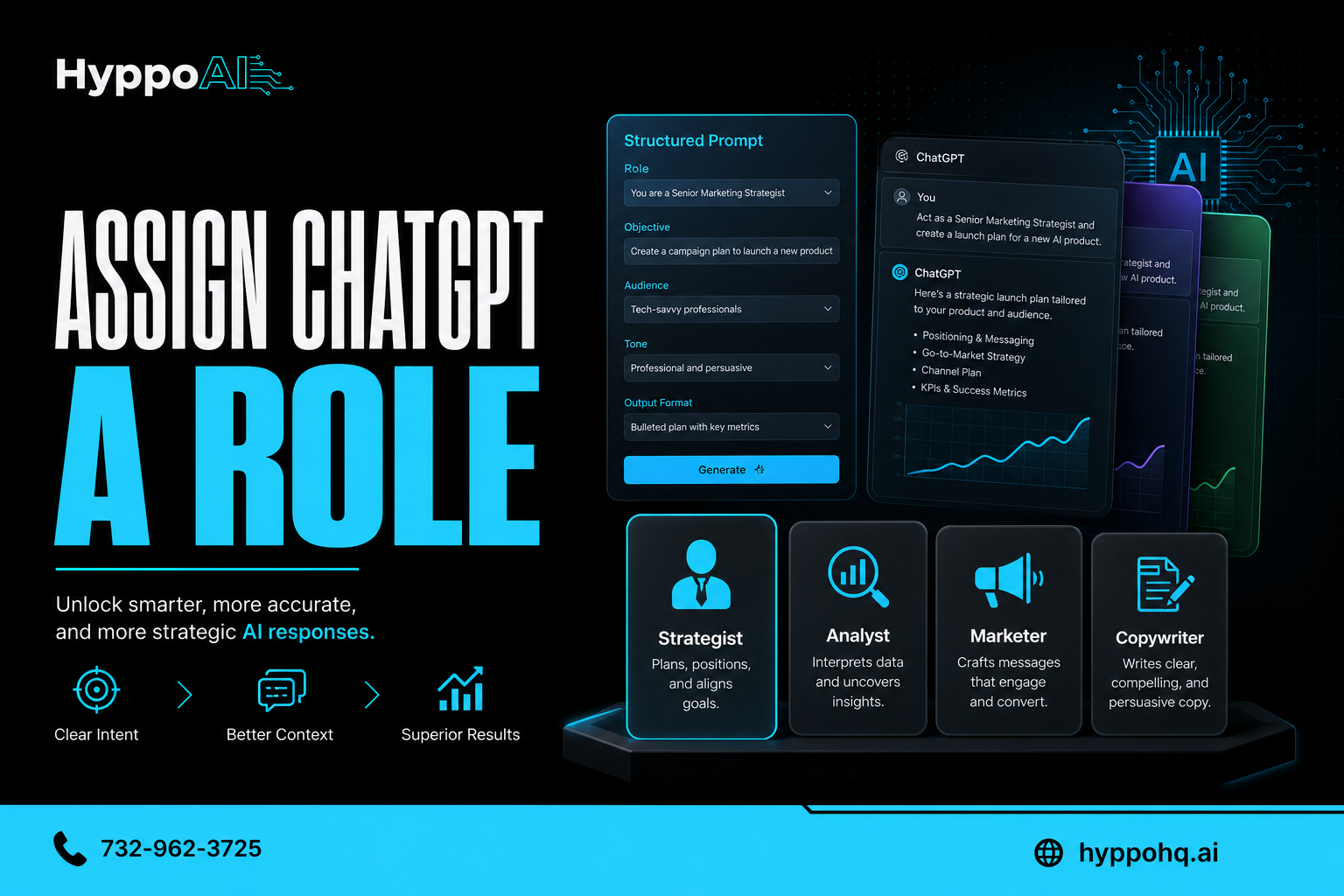
Why ChatGPT performs better when you assign it a role
If you have ever felt like ChatGPT gave you a vague, generic, or inconsistent answer, the issue may not be the model. It may be the prompt.
One of the simplest ways to improve output quality is to assign ChatGPT a role before you ask it to do a task. Instead of saying, "Write me an email," you say, "Act as a sales manager and write a follow-up email for a warm lead." That small shift often produces a sharper, more useful result.
For small and midsize businesses, this matters. Better prompts mean faster workflows, fewer revisions, and more practical outputs across marketing, operations, customer service, and internal documentation.
What it means to assign ChatGPT a role
Assigning a role means telling ChatGPT what perspective, expertise, or function it should adopt before completing a task.
Examples include:
- Act as a customer support manager
- Act as a CFO for a small business
- Act as an SEO strategist
- Act as a project manager building a rollout plan
- Act as a sales coach reviewing a call script
A role gives the model context. It narrows the range of possible responses and helps it prioritize the style, structure, and information most relevant to your goal.
Why role prompting improves performance
ChatGPT is built to predict useful language based on the input it receives. The more direction you provide, the better it can match the response to your intent. A role acts like a frame around the task.
1. It reduces ambiguity
Without a role, many prompts are too open-ended. "Write a proposal" could mean dozens of different things.
With a role, the task becomes more precise:
- Act as a consultant and write a proposal for a local HVAC company
- Act as an operations lead and draft an internal project proposal
That extra context helps the model choose the right tone, structure, and level of detail.
2. It improves relevance
Different roles care about different outcomes. A marketer focuses on messaging and conversion. An operations manager focuses on process and efficiency. A legal reviewer focuses on risk and clarity.
When you specify the role, ChatGPT is more likely to produce output aligned with the priorities of that function.
3. It creates more consistent tone
If your team uses AI across multiple tasks, consistency matters. Role prompting helps standardize voice and perspective.
For example, if every social caption starts with "Act as a no-nonsense social media strategist for an AI company serving SMBs," you are more likely to get outputs that feel aligned across channels.
4. It encourages better structure
Roles imply formats. A financial analyst may produce a summary with risks, assumptions, and recommendations. A teacher may explain concepts step by step. A copywriter may lead with a hook and clear CTA.
That means less cleanup after the first draft.
5. It helps the model make better assumptions
ChatGPT always has to fill in gaps. The problem is that generic prompts leave too many gaps open.
A role gives the model a set of useful assumptions about:
- Audience
- Goals
- Constraints
- Vocabulary
- Decision criteria
The result is usually more practical and less generic.
Why this matters for SMB teams
Small businesses do not have time to wrestle with weak prompts. If you are using AI to save time, prompt quality directly affects ROI.
Role-based prompting can help SMB teams:
- Draft stronger emails faster
- Build SOPs with clearer logic
- Create more targeted marketing content
- Improve customer support responses
- Summarize meetings in a more useful format
- Generate better first drafts for sales and operations
In short, assigning a role makes AI more usable in real workflows.
Examples of weak vs stronger prompts
Here is a simple comparison.
Weak prompt
Write a follow-up email for a prospect.
Stronger prompt
Act as a B2B sales manager for an AI company serving SMBs. Write a concise follow-up email for a prospect who requested pricing but has not replied in five days. Keep the tone confident, helpful, and direct.
The second prompt gives ChatGPT a role, audience, context, timing, and tone. That usually leads to a much better result.
Here is another.
Weak prompt
Create a process document.
Stronger prompt
Act as an operations manager. Create a simple SOP for handling inbound website leads, including response time targets, qualification steps, ownership, and follow-up actions.
Again, the role helps shape the output into something more actionable.
Best practices for assigning ChatGPT a role
Role prompting works best when it is paired with a few other prompt elements.
Be specific about the role
Broad roles can help, but specific roles help more.
Instead of:
- Act as a writer
Try:
- Act as an SEO content strategist for a company that sells AI solutions to small businesses
Specificity improves alignment.
Add the task and outcome
Do not stop at the role. Tell ChatGPT what success looks like.
Include:
- The task to complete
- The target audience
- The format you want
- The tone or constraints
For example:
- Act as a customer support lead. Write a response to a frustrated customer whose onboarding call was missed. Be empathetic, brief, and solution-focused.
Include business context
If you want business-ready output, provide business-ready context.
Useful details may include:
- Industry
- Customer type
- Offer or service
- Stage of the funnel
- Brand voice
- Desired CTA
This is especially important for SMBs trying to produce content that actually sounds like their company.
Ask for a format
Roles work even better when paired with formatting instructions.
Examples:
- Give me three options
- Use bullet points
- Summarize in a table
- Keep it under 150 words
- Break it into steps
This reduces back-and-forth and makes the output easier to use immediately.
Common mistakes to avoid
Even with role prompting, results can still fall short if the rest of the prompt is weak.
Watch out for these common issues:
Making the role too vague
"Act as an expert" is better than nothing, but not by much. Expert in what? For whom? Toward what goal?
Overloading the prompt
Too many conflicting instructions can reduce clarity. Keep the prompt focused.
Forgetting the audience
A role helps, but audience still matters. A CFO speaking to investors sounds different from a CFO speaking to a store manager.
Skipping iteration
Even strong prompts improve through refinement. If the first answer is close, ask for revisions instead of starting over.
A practical prompt template you can use
Here is a simple framework:
Act as a [specific role]. Your job is to [task]. The audience is [target audience]. The goal is to [desired outcome]. Use a [tone] tone. Format the response as [format]. Include [key details or constraints].
Example:
Act as an SEO strategist for an AI company serving SMBs. Your job is to outline a blog post about why role-based prompting improves ChatGPT results. The audience is small business owners and operators. The goal is to educate and build trust. Use a direct, practical tone. Format the response with headings and bullet points. Include examples and common mistakes to avoid.
That level of direction gives ChatGPT a much better chance of producing something useful on the first pass.
Final takeaway
ChatGPT performs better when you assign it a role because roles reduce ambiguity, improve relevance, and guide the model toward the right tone, structure, and priorities. It is one of the easiest prompt upgrades you can make, and for SMB teams, it can create immediate gains in quality and speed.
If your business is exploring practical ways to use AI more effectively, HyppoAI helps SMBs turn AI into real operational leverage. Visit https://hyppohq.ai or call +17329623725 to learn more.