
What Is a Cron Job?
Next up in my series on the parts of a software application. So far we've covered APIs, API keys, and .env files, which is a lot of talk about how one program talks to another. Today is about something different: how a program does anything at all when nobody is around to tell it to. Meet the cron job.
The short version
A cron job is a task that runs on a schedule, automatically, without a human pressing anything.
That's it. That's the whole concept. You write a piece of code, you tell the computer when to run it, and from then on it runs at that time whether you're awake, asleep, on a plane, or forgot it exists. Every minute, every hour, every day at 7am, every Tuesday and Thursday, the first of the month, once a year. Whatever schedule you want.
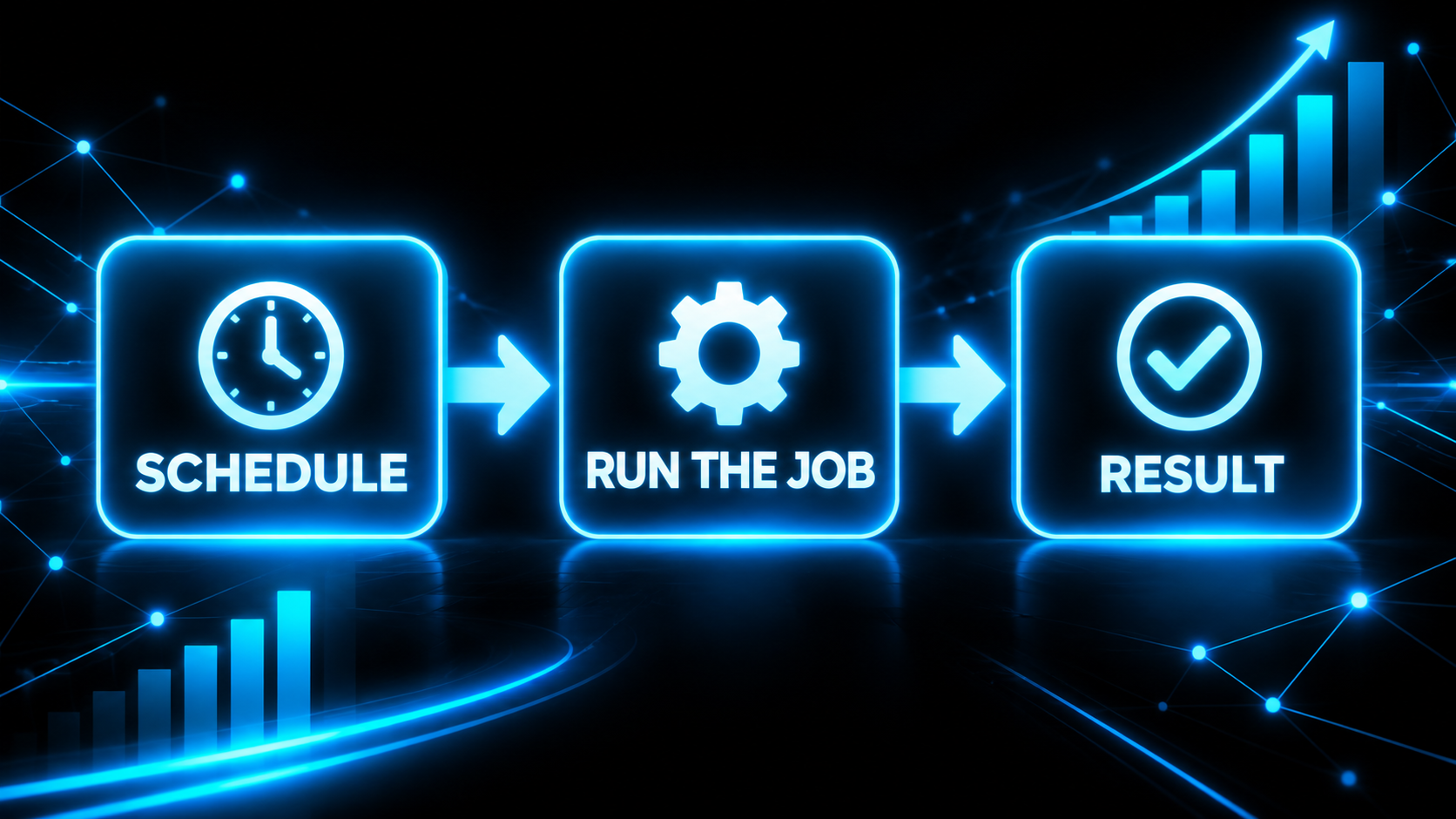
The name is old. "Cron" comes from the Greek word for time, chronos, and the original cron program shipped with Unix in the 1970s. Programmers have been using the same basic tool for fifty years, which should tell you how fundamental it is. When something in software survives that long unchanged, it's because the idea underneath it is correct.
What the schedule actually looks like
You'll see cron schedules written as five little slots, like this:
0 7 * * *
Looks like a cat walked on the keyboard. It's not. Left to right the slots are minute, hour, day of the month, month, and day of the week. A star means "every." So that line reads: minute 0, hour 7, every day, every month, every weekday. In English, "every day at 7:00am." Here are a few more so it clicks:
- */15 * * * * is every 15 minutes.
- 0 9 * * 1 is every Monday at 9am.
- 0 0 1 * * is midnight on the first of every month.
- 0 6 * * 2,4 is 6am on Tuesdays and Thursdays.
If you're vibe coding, you don't need to memorize this. You need to recognize it when the AI writes one so you can sanity check that "every day at 7am" didn't accidentally become "every minute, forever." That's a real mistake and it's a fun one to find on your bill.
Why this matters more than it sounds
Here's the part most people miss. There are two kinds of code in every application.
The first kind runs because someone asked. A customer clicks a button, a form gets submitted, a phone hits your website. Something happens, so code runs. Almost everything a beginner builds is this kind, because it's the kind you can see.
The second kind runs because the clock said so. Nobody clicked anything. It's 2am and the system decides, on its own, that it's time to back up the database. That's a cron job, and it's how software does the things no human would remember to do.
Once you see that split, you start noticing that a huge amount of what makes software feel "alive" is the second kind. The reminder that showed up right on time. The report that was in your inbox Monday morning. The invoice that went out on the first. None of that was a person. It was a schedule.
Practical uses, the business-owner version
Let me make this concrete, because this is where cron jobs go from "programmer trivia" to "why isn't my business doing this already."
- Weekly invoice check. Every Monday morning, a job looks at every open invoice, figures out who paid and who didn't, and hands you a list of who's late. Better yet, it sends the polite nudge for you. You did not have to remember. You did not have to log in and squint at a spreadsheet.
- Appointment reminders. Every hour, a job finds every appointment happening 24 hours from now and texts the customer. No-shows drop overnight. This is the single highest return cron job most service businesses will ever run.
- Nightly backups. Every night at 2am, copy the database somewhere safe. Boring. Also the reason you still have a business after someone deletes the wrong thing.
- Lead syncing. Every 15 minutes, pull new leads from your ad platform or your web forms into your CRM so nothing sits there going cold.
- Monthly reports. First of the month, build the numbers and send them. Revenue, new customers, churn. Done before you've had coffee.
- Cleanup. Expire old login sessions, archive stale records, clear out temp files. The janitorial work nobody wants and every system needs.
- Renewals and expirations. Check daily for subscriptions, certificates, or trials that are about to lapse and do something about it before they do.
Notice the pattern. Every one of these is a thing a diligent employee would do if you had a diligent employee with perfect memory who never took a day off. You don't. You have a schedule. Same result, cheaper, and it never gets tired of the boring part.
How Joe 3.5 uses them
If you've met Joe 3.5, my AI executive assistant, you've seen cron jobs in action without knowing it. A lot of what makes him feel like a person who's paying attention is really a handful of schedules.
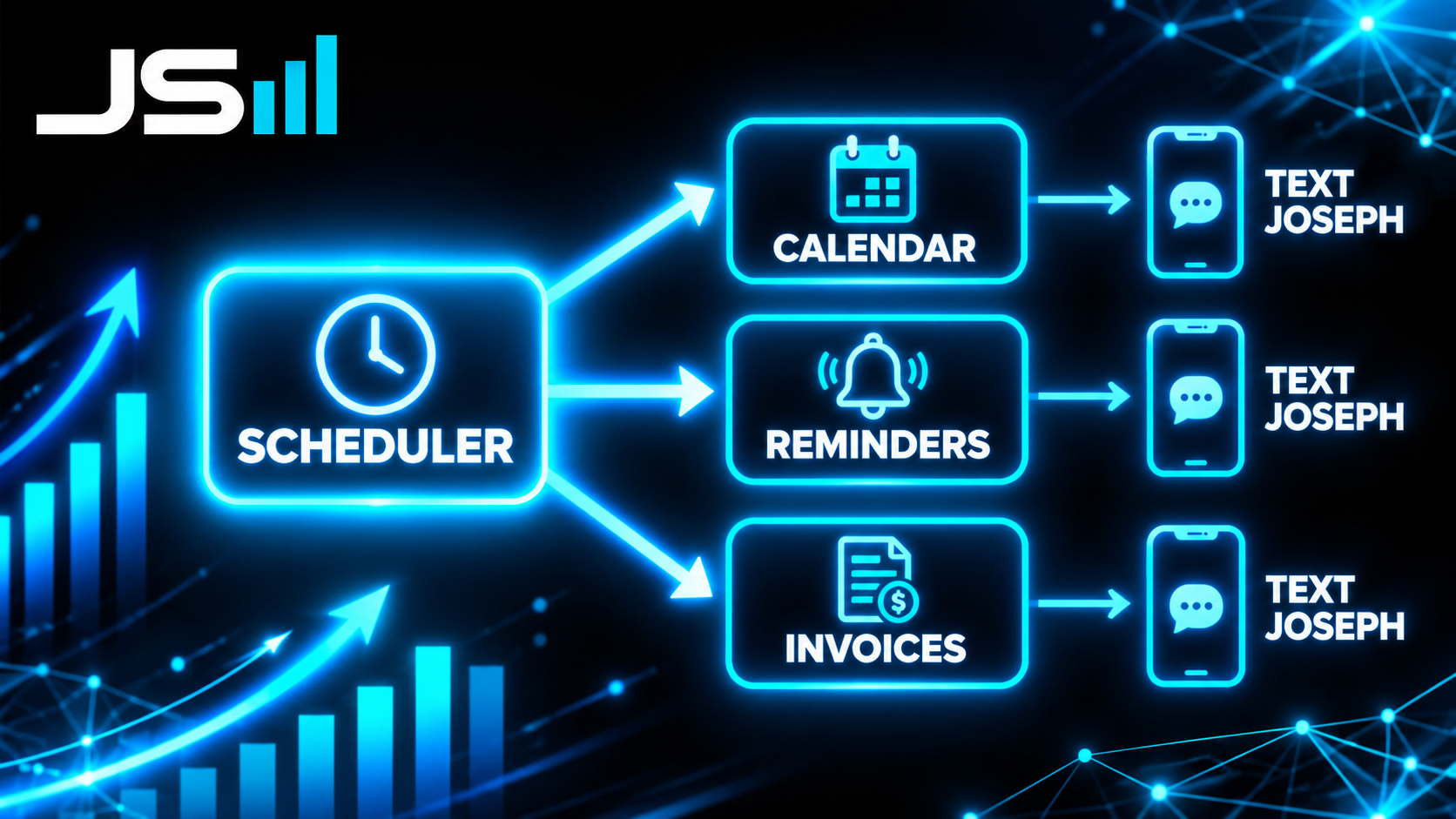
The morning brief is the obvious one. A job wakes up early, reads my Google Calendar, looks at what's due, and texts me the plan for the day before I've asked for it. I didn't open an app. The clock did it.
The reminders are the more interesting one, architecturally. When I text him "remind me at 3pm to call so-and-so," he does not spin up a brand new scheduled job just for that reminder. That would be a mess, thousands of tiny one-off schedules nobody can see or manage. Instead, he writes one row into a table: the message, and the exact time it should fire. Then a single cron job runs every minute and asks one question, "is anything due right now?" If yes, send it. If no, go back to sleep.
That pattern, one job polling a table of things-to-do, is one of the most useful ideas in this whole article. It's how reminders work, how scheduled emails work, how "send this text to the customer on Friday" works. You don't schedule the thing. You schedule the checker, and the things live in a database where you can actually see and change them.
Same trick runs the invoice side. He doesn't watch invoices in real time. A job checks on a schedule, compares against what's already been paid, and only bothers me when something changed. Quiet unless there's news. That's the whole design goal.
The architecture part, where it gets surprisingly serious
Cron jobs look trivial. They are where a shocking number of production bugs live. A few things I've learned the hard way.
They fail silently. This is the big one. When a button breaks, a customer tells you within the hour. When a cron job breaks, nothing happens. No error, no angry email. The thing simply stops occurring, and since it was doing its job invisibly, its absence is invisible too. I know this personally. Joe 3.5's morning brief quietly stopped firing this summer and I did not catch it for weeks, because what I noticed was a slightly quieter phone, and a quiet phone does not feel like a bug. The fix is to treat every scheduled job like a heartbeat: it should report in when it runs, and something should yell if it doesn't. Programmers call this a dead man's switch. Set one up before you need it.
They must be safe to run twice. Schedules drift. Servers restart. Sometimes a job fires again before you meant it to. If your "charge the customer" job runs twice, you have just charged the customer twice, and now you have a very different kind of morning. Good scheduled jobs are written so that running them again changes nothing. The word for this is idempotent. Check whether the work is already done before you do it.
They can overlap. An hourly job that takes ninety minutes to finish is now two jobs running at once, stepping on each other's data. Either make it faster or make it lock the door behind itself so the next run waits.
Time zones will get you. "7am" on a server usually means 7am in London, not 7am in Florida, because servers run on UTC. And twice a year daylight saving shifts everything by an hour. Decide what time zone your schedule lives in and write it down.
Something has to be awake. A schedule only runs if a computer is on to run it. Joe 3.5 lives on a machine I own that never sleeps, which is why he can wake me up. If your app runs on a "serverless" platform, there's no always-on machine, so the platform gives you cron as a feature instead: Vercel Cron, Supabase's pg_cron, and so on. Same idea, different place to live.
The takeaway
A cron job is a task that runs on a schedule, on its own, without a human. It's fifty-year-old technology and it's still the answer to "how does my software do things when I'm not there." Every invoice nudge, appointment reminder, backup, report, and morning brief you've ever appreciated was almost certainly one. They're simple to write and genuinely tricky to run well, because their failure mode is silence. Build them, monitor them, make them safe to run twice, and they'll do the diligent-employee work forever.
Another piece of the puzzle down. More parts of the application coming.
Want the boring stuff to just happen?
That's most of what we build at HyppoAI. Software that does the diligent work on a schedule so you don't have to remember it.